 macOS 26 · Apple silicon · no network
Your files, finally named after what’s inside.
Namer reads every new file that lands on your Mac and gives it a clear name. Screenshot, scanned PDF, spreadsheet, email, voice memo: all analyzed on the device.
Secure payment by Stripe · 20 free renames to try it
| Name | Read from | Confidence |
|---|---|---|
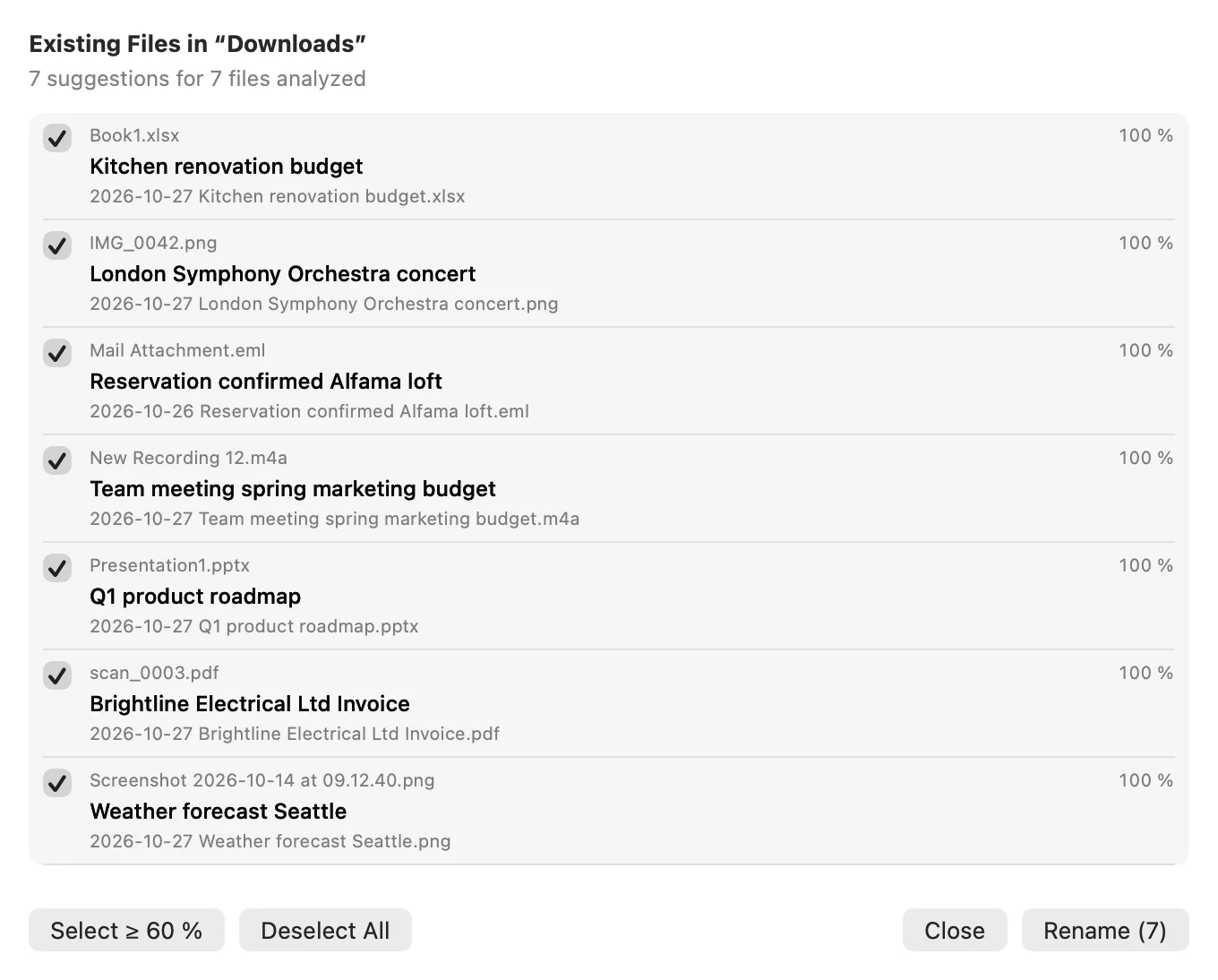
| 2026-10-27 London Symphony Orchestra concert.pngwas IMG_0042.png | text in the photo | 100 % |
| 2026-10-27 Brightline Electrical Ltd Invoice.pdfwas scan_0003.pdf | scanned PDF | 100 % |
| 2026-10-27 Weather forecast Seattle.pngwas Screenshot 2026-10-14 at 09.12.40.png | screenshot | 100 % |
| 2026-10-27 Kitchen renovation budget.xlsxwas Book1.xlsx | cells | 100 % |
| 2026-10-27 Q1 product roadmap.pptxwas Presentation1.pptx | slides | 100 % |
| 2026-10-26 Reservation confirmed Alfama loft.emlwas Mail Attachment.eml | subject and body | 100 % |
| 2026-10-27 Team meeting spring marketing budget.m4awas New Recording 12.m4a | transcript | 100 % |
It reads, suggests, checks. Only then does it rename.
One file, followed end to end. Nothing is renamed on the model’s word alone.
- 01
Read
Vision recognition for images and scans, direct reading for documents, a transcript of the first 60 seconds of audio.
London Symphony Orchestra — Mahler Symphony No. 5 Concert on Saturday 21 November 2026, 7:30 pm · Barbican Hall Stalls · Row F · Seat 14 - 02
Suggest
Apple’s on-device model suggests a short title from that text.
London Symphony Orchestra concert - 03
Check
Namer checks that the title is grounded in the text it read. Confidence is computed, never guessed by the model.
title found in the text read confidence 100% - 04
Rename
Above the threshold you set, it renames. Otherwise it suggests the name in a notification.
2026-10-27 London Symphony Orchestra concert.png
What about files already there?
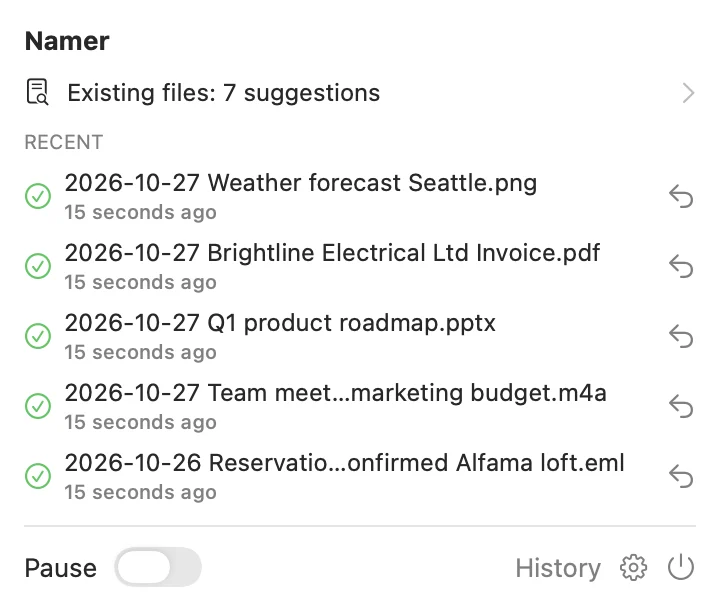
Namer never touches what was there before it on its own. The magnifier scans a folder on request and shows you every suggestion: you tick, it renames.
It reads the content, not just the name.
What Namer can open today.
Screenshots & photos
Text in the image, otherwise the scene.
- .png
- .jpg
- .heic
- .webp
PDFs
Including scans with no text layer.
Documents
Word, Pages, OpenDocument, RTF, text, Markdown.
- .docx
- .pages
- .odt
- .rtf
- .md
- .txt
Spreadsheets
Excel, Numbers, CSV.
- .xlsx
- .numbers
- .csv
Presentations
PowerPoint, Keynote.
- .pptx
- .key
Emails
Subject, sender and body.
- .eml
Audio
Voice memos, transcribed on the Mac.
- .m4a
- .mp3
- .wav
Videos
Key frames and soundtrack.
- .mov
- .mp4
Books
EPUB.
- .epub
Nothing leaves your Mac.
Namer is not allowed to open a connection: the app declares no network entitlement, so macOS forbids it. No account, no upload, no server. Check it yourself:
% codesign -d --entitlements - /Applications/Namer.app
Executable=/Applications/Namer.app/Contents/MacOS/Namer
[Dict]
  [Key] com.apple.security.app-sandbox
  [Value]
    [Bool] true
  [Key] com.apple.security.files.bookmarks.app-scope
  [Value]
    [Bool] true
  [Key] com.apple.security.files.user-selected.read-write
  [Value]
    [Bool] true
No “network” line: only the sandbox and the folders you picked.
- Never overwrites
- If the name already exists, Namer adds a suffix instead of replacing.
- Keeps the extension
- A .pdf stays a .pdf. Only the name changes.
- Undoable
- Every rename is logged and can be undone from the menu.
- You stay in charge
- By default only generic names (IMG_…, Document1, Screenshot…) are touched. Per folder: suggestions to approve, or automatic renaming above a threshold.
One purchase. No subscription.
€4.99
one-time purchase
BuySecure payment by Stripe, under the name The KRB Company. Your license key is shown right after payment.
What the purchase includes
- Unlimited renames, after the 20 free ones to try it
- One license key that works on all your Macs
- Checked on the Mac, with no connection: Namer stays offline
Requirements
- macOS 26 or later
- Mac with Apple silicon
- Apple Intelligence turned on for the best titles; without it, Namer names files from the text it read
- Signed and notarized by Apple
Questions
Do my files leave my Mac?
No. Reading, transcription and the language model all run on the Mac, and the app has no network entitlement.
Which folders does Namer watch?
The ones you add in Settings, such as Desktop and Downloads. Nothing else.
Can I choose the name format?
Yes. By default, the date then the title; the template can be edited in Settings.
What if I don’t like the suggested name?
Decline the suggestion, or undo the rename from the menu: the file gets its original name back.
What happens after the 20 free renames?
Preview, history and undo stay free; to keep renaming, you need the license key.
How do I activate my license?
After payment, the key is shown on the thank-you page. No email is sent: keep it. Click “Open in Namer”, or paste it in Namer > Settings > License.
How many Macs, and do I need a connection?
The same key works on all your Macs. It is checked on the Mac, offline: no online activation, no account.
Which languages?
The app is in English and French. Transcription uses the dictation languages already on your Mac.